BSc (Hons) Cyber Security course preparation
To help you feel confident and ready to begin your BSc (Hons) Cyber Security studies, we’ve put together everything you need to start preparing. Below you will find key department contacts, where you’ll be learning, useful resources and practical tips to help you make a smooth transition to university. Read on to find out what’s waiting for you:

Where your learning will take place:
The majority of your learning will take place in our state-of-the-art £13m Tech Hub. In here, you’ll find facilities, such as:
- teaching laboratories
- industry-standard test and measurement equipment
- leading analytical software
- high-specification computers, high-resolution screens and the latest hardware and software
Prepare for university
We know that you’re aware that studying at university will include hard work. But succeeding at university is more than academic ability alone. There are a few skills that you can start developing now, so that you’re a pro when it comes to the start of your studies in September.
- Time management – you may have to juggle assessments, lectures, work and social activities. Developing strong time management skills early on will help you to prioritise deadlines, stay organised and make the most of your time.
- Critical thinking – university study encourages you to question ides, evaluate evidence and form your own informed decisions. You’ll be expected to engage critically with the work you’re studying in a professional, academic manner. Your opinions matter, so don’t be afraid to share them.
- Teamwork – some modules may require you to work with others on your course to complete tasks and discuss analytical findings. Learning how to contribute confidently and work collaboratively as part of a team is a key professional skill.
- Independent work – in contrary to the above, it’s also important to be able to work independently. The majority of your work will need to be submitted individually, so it’s important you take ownership of your learning. And if there is something that you don’t understand, make sure you ask your tutor.
- Self-motivation – you’ll be encouraged manage your own workload. That means you won’t have a teacher chasing you for deadlines. So it’s important that you hold yourself accountable and make the decision to put the work in.
To remind yourself of your modules, please visit your course page:
If you’d like to complete any preparatory reading, you can search for any reading related to your course on our online reading list.

Your Timetable
Available from 3 August
You will receive full timetable information from your department during Induction Week.
Ahead of this you can access the provisional course timetable on Student Calendar. You will need to select Courses from the drop-down menu, search for your course in the Resource(s) box and find the year one timetable from the list. Then just use the arrows to scroll forward to your course start date.
If you are going to be studying part-time with us, please look at the individual module timetables according to your planned curriculum.
Please note that all timetables on Student Calendar are subject to change. Check back regularly for updates.
Useful resources:
Cyber security is a practical, fast-moving field. You’ll develop your skills through a mix of theory and hands-on experience, so getting familiar with key tools, platforms and communities early on can really help.
New to cyber security? You might be wondering where to start. There are plenty of beginner-friendly resources that will help you build confidence before you arrive.
- There are a couple of suggested books you might like to read, if you can borrow the books or pick them up second-hand: Metasploit, Foundations of Cybersecurity, 2nd Edition or Cybersecurity Essentials
- You can start to learn how to programme in Python through the Code Academy free course.
- You can also use the WIRED website to catch up on the latest developments in computing.
- Explore the current tech job market on IT Jobs Watch and join a developer community on DZone.
- Other useful websites include W3Schools Online Web Tutorials , Python official website, Cyber Security Tutorial, National Cyber Security Centre, GCHQ, Cyber security breaches survey 2025.
Materials you may need:
It’s a good idea to wait until you start your course to buy any books or specific equipment as your tutor will be able to provide more details about what is essential. And our library may be able to provide you with reading materials. But there are a few things you may want to consider.
- Academic diary – a staple to help you with your time management as well as upcoming tasks in both your academic and personal life.
- Notepads and pens – some people prefer to do this digitally rather than on paper, whichever you prefer, make sure you have the resources to complete any notes you’d like to take. If you like to write on a physical notepad, consider an A5 size so that it’s easier to carry around.
And of course, anything else that you like to use for your academic studies, like highlighters, flashcards and folders.
Whilst you’re here, you’ll have access to all the facilities and equipment you need to complete your studies and we have excellent computer labs. But if you would like to purchase equipment before you start your studies, we’d recommend looking into pre-owned options. Items could include:
- Portable Hard Disk Drive. You can store files online (in places such as Dropbox) or purchase a portable disk drive. A 500GB shock proof USB 3.0 self-powered hard disk drive (approx. £25) will be sufficient and is invaluable for backing up your work.
- Portable USB stick. As an alternative to a portable hard disk drive, you could obtain a 32GB USB 3.0 stick (approx. £6), or a 64GB drive (approx. £10).
If you’d like your own computer to complete work outside of our departmental labs, we advise using a computer that meets or exceeds the following specification:
| Component | Minimum |
| CPU | Intel i5 (or equivalent AMD processor) |
| RAM | 8 GB |
| DISK | 750 GB HDD |
| OS | Microsoft Windows 10 or 11, MacOS 13+ or a Linux Environment such as Ubuntu. |
| Screen | 13” or above. |
If you don’t have a computer that meets these minimum specifications, you may be able to borrow a laptop from our departmen
Before you arrive, check out our UniSkills workshops. These sessions are designed to help you to build the academic skills that you’ll use throughout your time with us and beyond. Keep an eye on your emails for more information.

Making friends
Starting somewhere new can feel daunting and that is completely normal. Once you arrive, you’ll be able to find out what activities and clubs/societies are available for you to get involved with. These are the perfect way to meet like-minded individuals who share your passions.
Make sure to use our Students Life portal keep up to date with all the student events happening at Edge Hill.
Accessibility
At Edge Hill, we want you to feel supported and comfortable so that you can thrive. To help you achieve your goals, we offer a wide range of resources, both online and on campus.
Through our Assistive and Accessible Technologies Toolkits, all students have access to software and apps on their devices, including Mind Mapping, Text-to-Speech, Help and learn, and Note-taking on their devices. You can find out how to use these toolkits here:
Assistive technology | Library and Learning Services | Edge Hill
We pride ourselves in being accessible to all, helping you make the best out of your university experience. With over £350m invested, Edge Hill offers state-of-the-art facilities, dedicated study spaces and on-campus accommodation.
We also have created a range of guides to help you plan and navigate life at Edge Hill. You can gain access to these guides here:
Accessibility on Campus – Edge Hill University
Our Brand
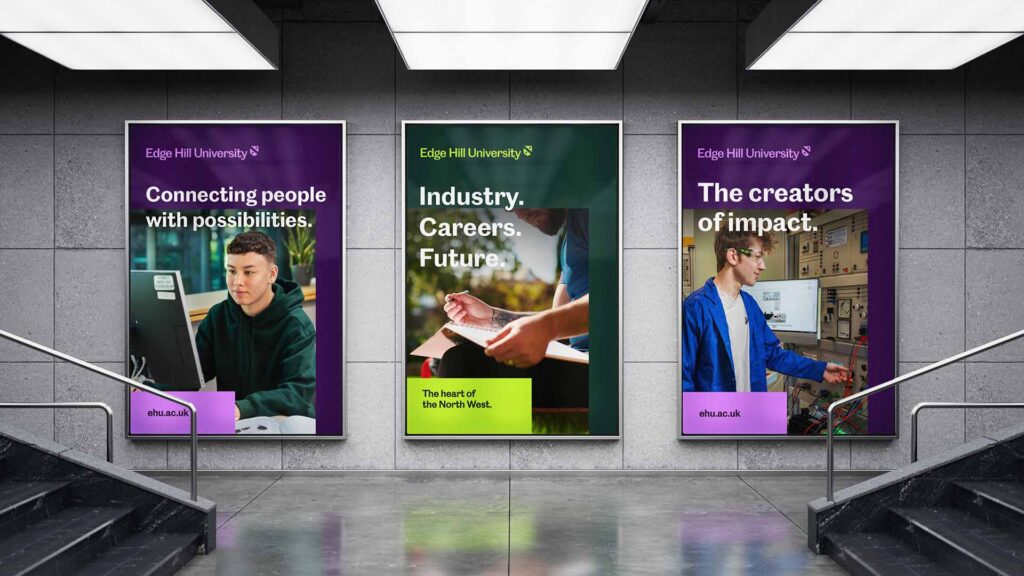
Earlier this year, Edge Hill’s brand evolved, introducing a fresh, modern look while continuing to represent our suffragette roots and pioneering spirit. The rebrand is not a reinvention, but a progression. An evolution of our identity, not an erasure of our past.
It builds on what has always made Edge Hill distinctive, expressing who we are today with greater clarity, confidence and ambition. Our brand honours our heritage while looking decisively to the future.
We are excited to introduce our rebrand to you and you can learn more about our brand story here: